Login / Quote Area
0 items in your quote basket

UK : 01622 753662
International : +44 1622 753662
Login / Quote Area
0 items in your quote basket

Call
+44 1622 753662
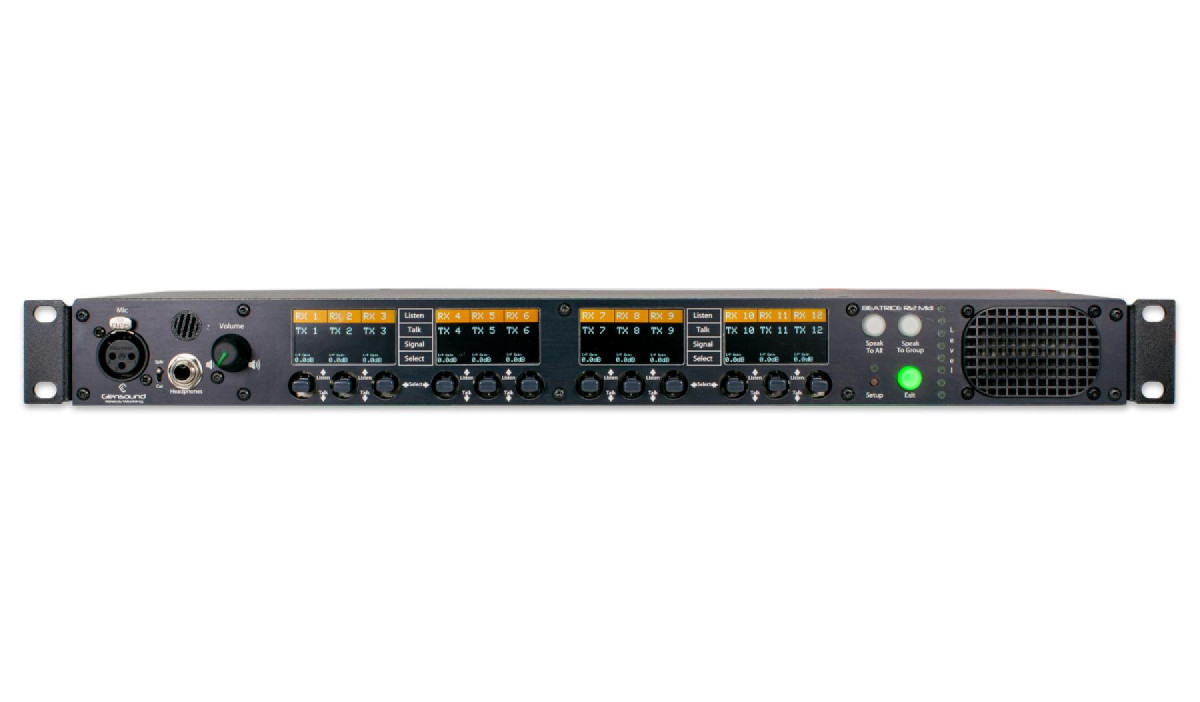
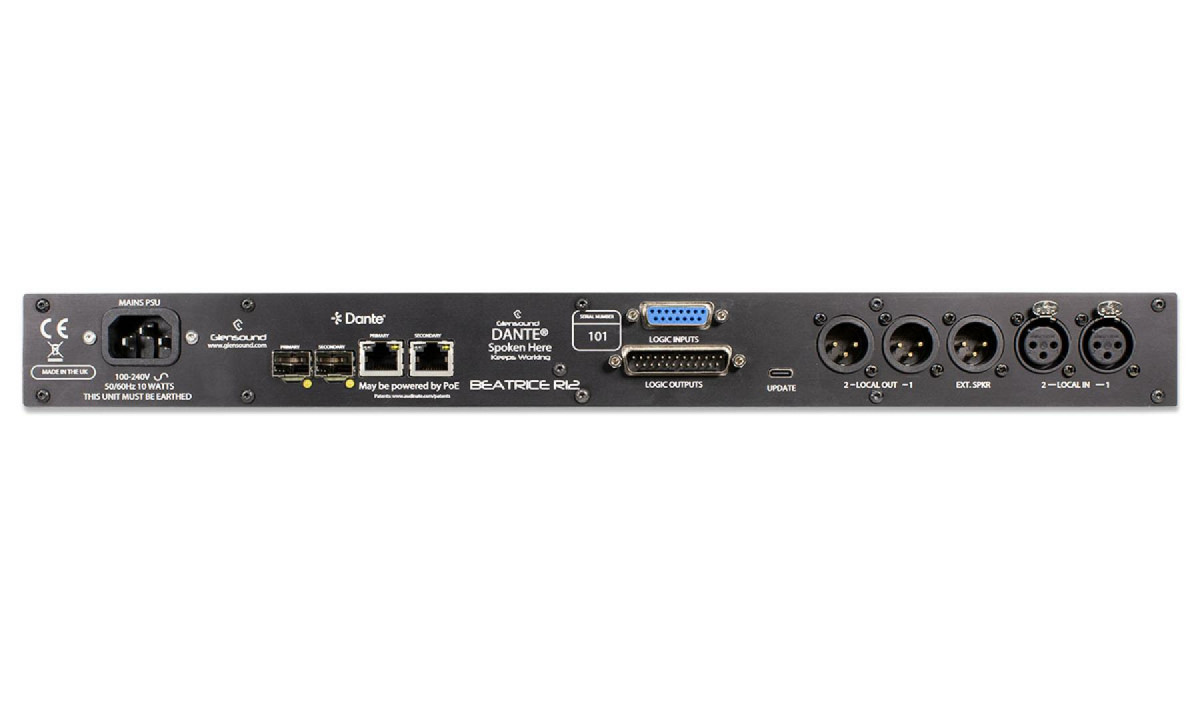
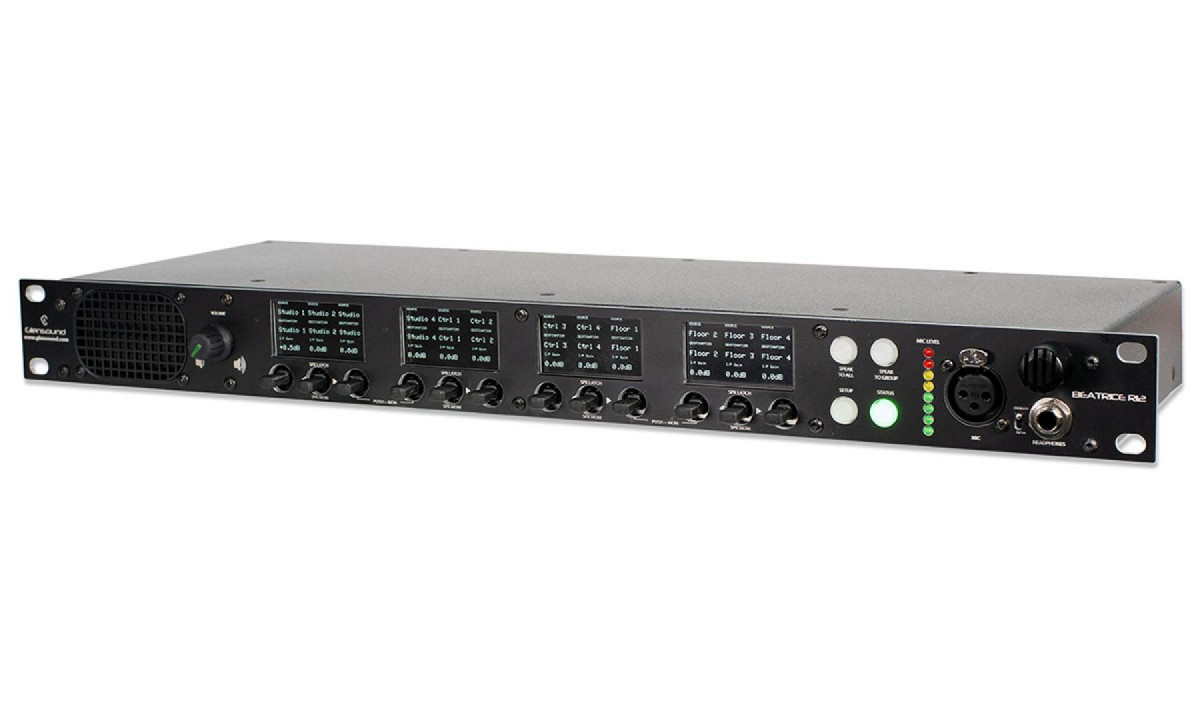
The Beatrice R12 MkII is the first of the second generation of Beatrice Intercom. It adds multiple display screens that allow you to see source and destination labels, taken directly from Dante Controller, along with a range of further status information. A 5 way lever control for each of the 12 channels allows for multi function talk and listen options, and immediate adjustment of incoming audio levels. There are also severeal new audio dynamic functions never before seen on Glensound Intercom, resulting in the most complete unit of its type yet.
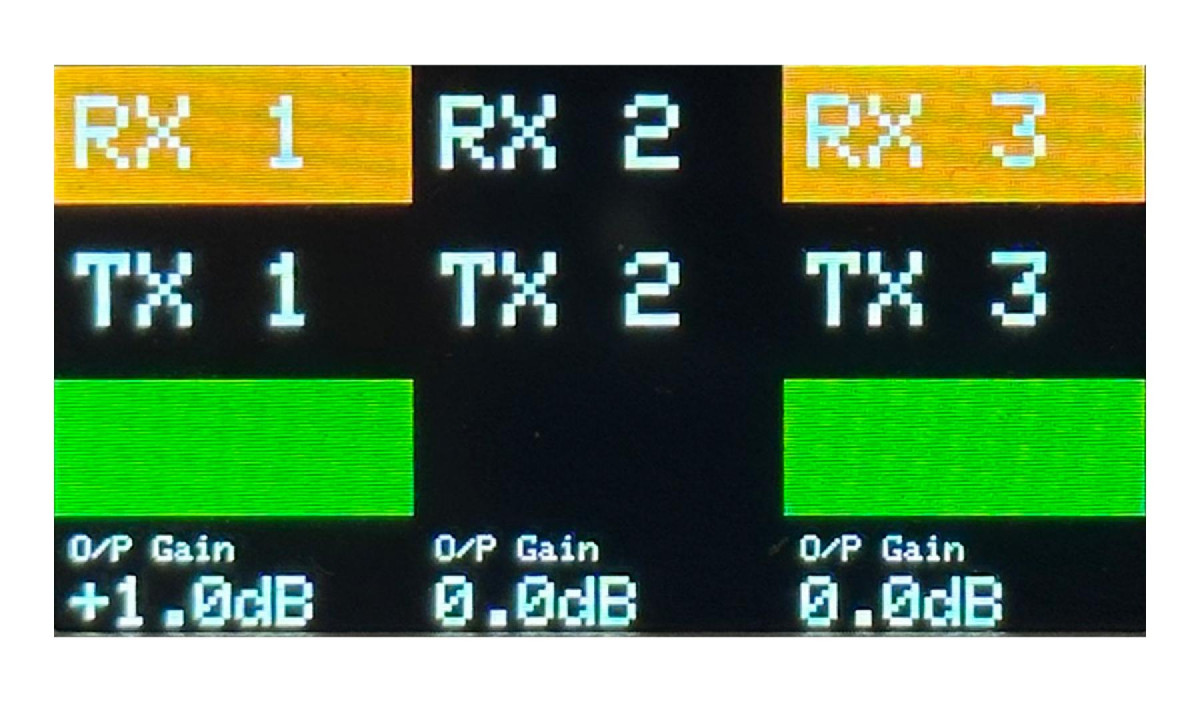
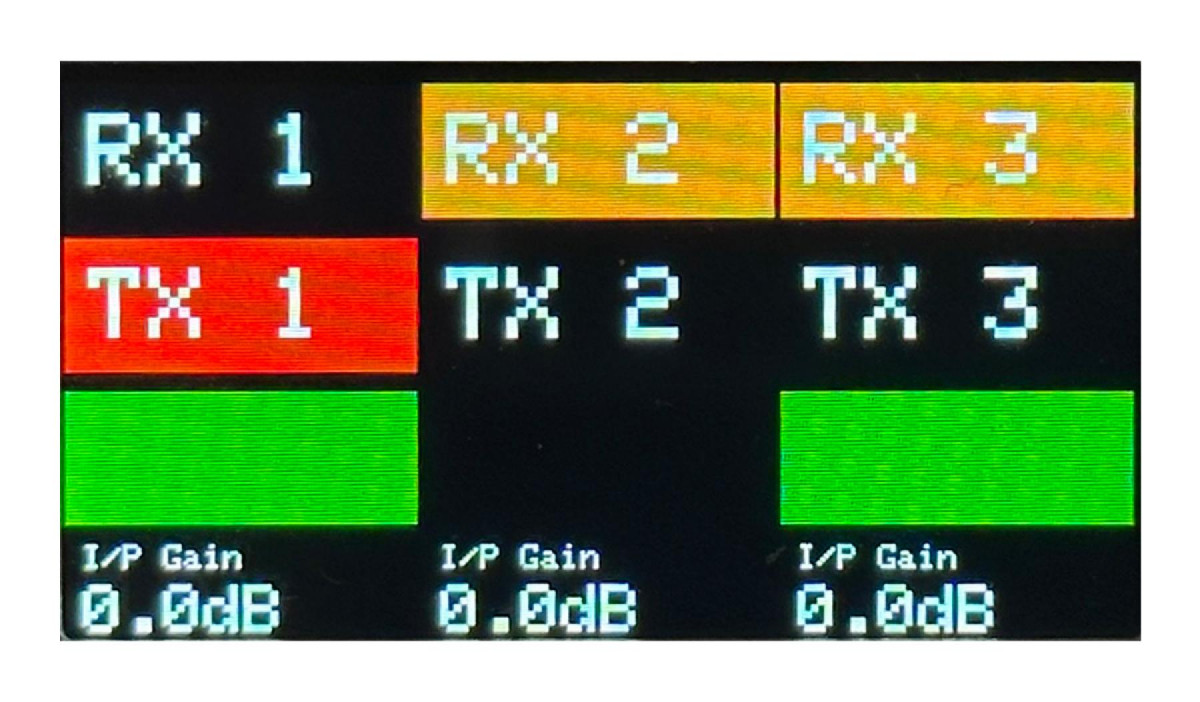
Display Screens
Talk/Listen Switches
LEFT/RIGHT: Channel Gain Level
- Adjusting left/right will increase/decrease the incoming gain level of the individual channel.
- Please note that there is a 1 second delay before changes are made to avoid accidental changes when operating the talk key.
UP - Listen
- Tapping up will turn the channel audio monitoring on/off. When audio monitoring is on, the background of the top line of the display will be orange.
- Holding up will solo the individual channel
DOWN - Talk
- This function can be set in different modes via the menu:
o MOMENTARY/PTT: Holding down will talk out to the individual channel and cancel when the key is let go.
o LATCHING: A single tap will lock the talk ‘on’ to the individual channel.
o INTELLIGENT: A short tap acts as a latching ‘on’, a longer hold acts as a momentary/PTT
- When talk is active, the background of the second line of the display will illuminate red.
PUSH – Output Monitor
- Holding the switch in, monitors the audio being sent to the output of that channel.
- This can be used to check the IFB
IFB Sources
There are 6 IFB party line channels available that loop the incoming audio to the output. These can be separatly assigned to any of the 12 channels. When the talk key is pressed the looping IFB audio can be set to Dim or CUT.
Multiple Talk Options
As well as the 12 x individual talk keys, the R12 can also set a separate talk group, and has a 'talk to all' function.
Gain Adjustments
Level can be set separately for incoming and outgoing levels.
Local Dante Analogue I/O
The R12 also offers a 2 channel analogue audio interface, in and out, that connects directly with the Dante network. This allows re-routing of audio from an analogue intercom or a wireless system, back to an R12 channel.
Mixers With Priority
The R12 features the following mixers:
- 5 x 2 channel
- 2 x 6 channel
- 6 x 2 channel with priority dimming/ducking
This allows settting up mix groups so all users can talk to each other. Sending the output of a mix group to one of the priority dimming mixers, which then adds a director on priority, means that a group can all talk, but when a director talks he will mute/dim the others.
Background Audio Guard
The BAG is very powerful 34 channel noise gate which removes all background noise from the microphone. It is very useful when the Beatrice R12 is used in noisy environments.
P/Shift (Frequency Shifter)
The R12 features a very powerful frequency shifter that significantly reduces the onset of feedback, allowing for the mics to still operate when the same audio is being output on nearby speakers.
GPIOs
There are 8 GPIOS that can be assigned to any of the R12s channels.
Call Function
The R12 can send and receive call signals to interface with the visual and audible call function of the rest of the Beatrice range.
The Beatrice R12 MkII features a Dante Brooklyn III module with 32 inputs and 32 outputs. The internal configuration of the I/O is as follows:
Beatrice R12 MkII Receivers
Beatrice R12 MkII Transmitters
AUDIO
Mic Input Gain Range
Dynamic 40dB(10dB step)
Phantom 40dB(10dB step)
Phanton Power 12v
Equivalent Input Noise -115dBu
150R 22Hz-22kHz
Frequency Response Line in 20Hz-16kHz
Frequency Response Line out 20Hz-20kHz
Dynamic Mic Line Up -65/-55/-45/-35dBu
Mic + Phantom Power Line Up -65/-55/-45/-35dBu
Mic Input Impedance 2k4 Ohms
Line Input Impedance >10k Ohms
Number of Inputs / Outputs
Mic Inouts 1+Panel
Line Inouts 2
Line Outputs 3
Maximum Input Level
Dynamic Mic: -17dBu
Mic + 12V PH: -17dBu
Compressor/ Limiter On mic inputs
THD + NOISE
Line Inputs 0.05%
Line Outouts 0.05%
Headphone Volume Pot Range 70dB
Headphone Impedance 32-1000 Ohms
Maximum Headphone Output 600Ohms: +18dBu
Headphone Frequency Response 20Hz-16kHz
NETWORK
Dante Yes
Ravenna/ST2110 Option
AES67 Compliant Yes
SMPTE ST-2110-30 Compliant Option
Number Of Network Interfaces 4
Copper Ethernet 2
Fibre Ethernet 2
Transfer Rate 1GB/sec
Dante Network Sample Rate 48kHz
AES67 Network Sample Rate 48kHz
Resolution 24 Bit
POWER
PoE Yes
Powered by the PoE network port Complies to: IEEE 802.3af-2003
Classification Class 0
DC N/A
AC 100-240VAC
Consumption 20W
Power On LED Display
ENVIRONMENTAL
Operating Temperature 0 to +50C
Storage Temperature -10 to +50C
PHYSICAL
Dimensions 445 x 163 x 55.5 mm (WxDxH)
Weight 1.61kg
Mechanics All aluminium construction, anodized and laser etched, powder coated sides
INCLUDED ITEMS
Handbook Available by download
RJ45 Network Cable 2 metre Cat5 Rj45 plug /Rj45 plug cable
Please use one of the following methods to contact us:
Telephone: 01622 753662
International: +44 1622 753662
Email: sales@glensound.com
Skype: No longer used
Online: contact form

Beatrice R8

Beatrice R4
© Glensound
The Design Buildings, 6 Brooks Place, Maidstone, Kent, ME14 1HE, UK.
Tel UK : 01622 753662 | Tel international : +44 1622 753662 | Email : sales@glensound.com